
Fully Kiosk Browser & Lockdown
Fully Factory Kiosk SolutionsBusiness
3.9188.00 Reviews
- Version
- 1.61.2-play
- Installs
- 500.00K
- Age Rating
- Everyone
Screenshots
Our Review of Fully Kiosk Browser & Lockdown
 Analysis by Appyee
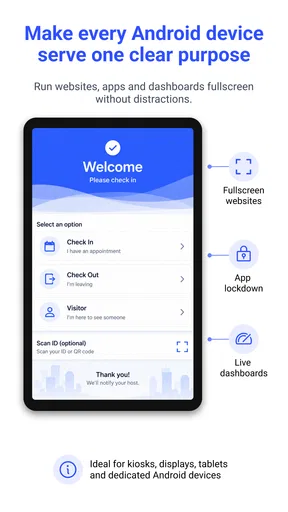
Hey there! So, I've had the chance to dive deep into the Fully Kiosk Browser & Lockdown app, and let me tell you, it’s quite the nifty tool for anyone looking to transform a regular tablet into a dedicated kiosk device. Whether you're a business owner or just someone who loves tinkering with tech, this app might just be what you need.
Setting Up Made Easy
First things first, installation is a breeze. Once you download the Fully Kiosk Browser & Lockdown from the app store, you’re just a few taps away from setting it up. The app welcomes you with a straightforward interface that guides you through the initial setup, making sure everything is tailored to your needs. It’s like the app holds your hand through the whole process, so no worries if you’re not the most tech-savvy person out there.
Customization Galore
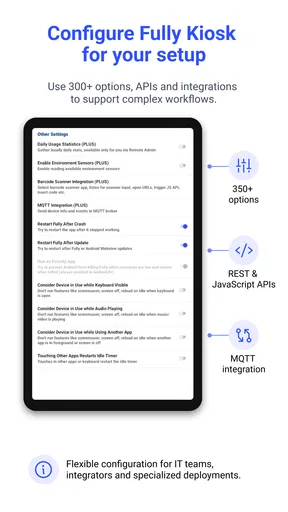
Now, the real magic happens when you start customizing. The app offers a plethora of options to tweak how your kiosk functions. From setting up a custom home screen to configuring the browser settings, you can make your kiosk as simple or as complex as you want. I spent a good chunk of time just playing around with these settings, and it’s really satisfying to see your vision come to life on the screen.
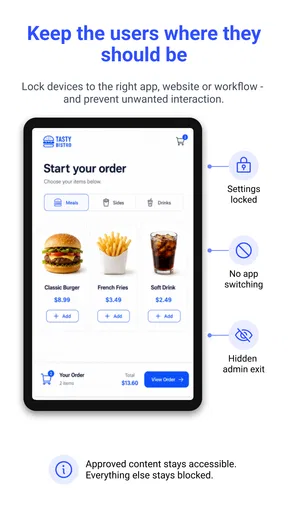
One feature that stood out to me was the app’s ability to lock down the device entirely. You can restrict access to certain apps or settings, ensuring that users only interact with what you want them to. It’s a perfect solution for public displays or interactive kiosks where you don’t want users fiddling with the device.
Remote Management
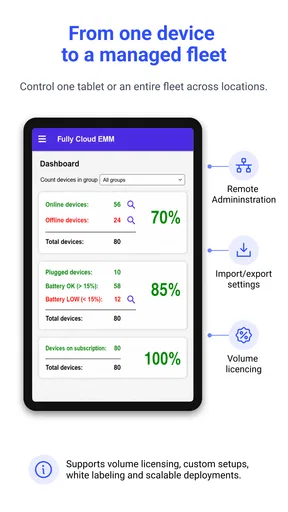
If you’re managing multiple kiosks, the remote management feature will be your best friend. This allows you to monitor and control all your devices from a central location. Imagine being able to update content, push notifications, or even reboot a device without leaving your desk. It’s like having superpowers over your kiosk network!
The app supports a variety of content types, including HTML, PDF, and even video files. So, whether you’re displaying a simple menu or an interactive product demo, Fully Kiosk Browser & Lockdown has you covered. I tested it with different content, and everything ran smoothly without a hitch.
Security and Support
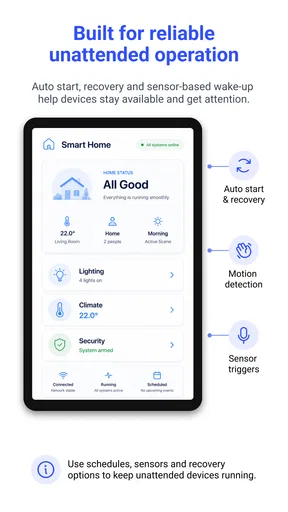
Security is another area where this app shines. It offers features like password protection, app blocking, and even a motion detector that uses the device’s camera. I found the motion detector particularly intriguing—it’s like having a security guard built into your kiosk.
Plus, the support team behind the app is pretty responsive. I had a couple of questions about some advanced settings, and their quick responses really helped me out. It’s always reassuring to know that help is just an email away.
Wrapping It Up
In a nutshell, Fully Kiosk Browser & Lockdown is a powerhouse of an app for anyone looking to create and manage kiosk devices. Its ease of use, extensive customization options, and robust security features make it a top contender in the kiosk software arena.
Whether you're setting up a kiosk for a trade show, a restaurant, or even a school, this app has got you covered. So go ahead, give it a try and see how it can transform your tablets into powerful, dedicated kiosks!
Verdict
Strengths of Fully Kiosk Browser & Lockdown
- Highly customizable settings.
- Supports various file formats.
- Remote management capability.
- Kiosk mode enhances security.
- User-friendly interface design.
Limitations of Fully Kiosk Browser & Lockdown
- Limited free version features.
- Complex setup for beginners.
- Occasional stability issues.
- Requires internet for full functionality.
- Limited customer support options.
Similar Picks in This Category
View All
LinkedIn: Community & Network
LinkedIn3.8

Zoom Workplace
zoom.com4.1

Microsoft Teams
Microsoft Corporation4.6

Meta Business Suite
Meta Platforms, Inc.4.6

Webex Meetings
Cisco Systems, Inc.4.5

TeamViewer Remote Control
TeamViewer4.4
Frequently Asked Questions
What is Fully Kiosk Browser & Lockdown used for?
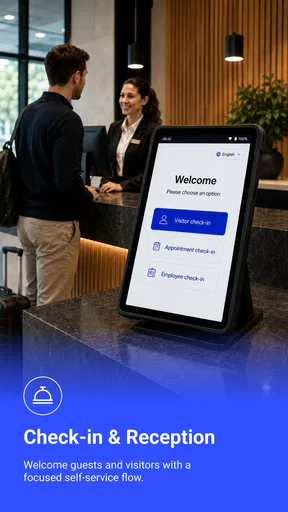
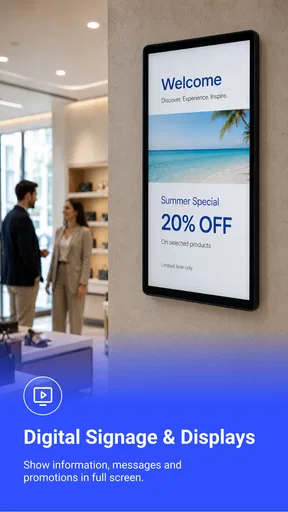
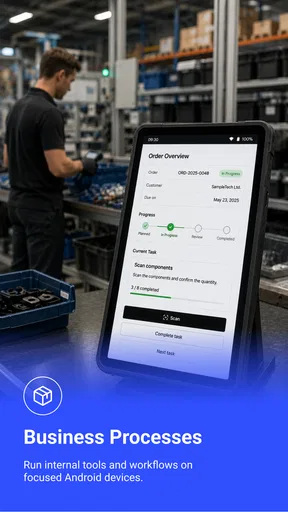
Fully Kiosk Browser & Lockdown is designed for securely displaying web content and applications on Android devices. It’s commonly used in kiosks, digital signage, and unattended devices. The app offers features like remote management, lockdown mode, and customizable user interfaces, making it ideal for controlling device usage in public or business environments.
How does the lockdown feature work in Fully Kiosk Browser?
The lockdown feature restricts user access to specific apps and functionalities, ensuring that the device is used only for its intended purpose. This is particularly useful in environments like retail or exhibitions, where unauthorized access needs to be prevented. Administrators can customize which features and apps are accessible, enhancing security and control.
Is Fully Kiosk Browser easy to set up for non-technical users?
While Fully Kiosk Browser offers a wide range of features, the setup process might be complex for non-technical users. However, the app provides detailed documentation and support resources. For optimal setup, users may need to follow step-by-step guides or seek assistance from more tech-savvy individuals to configure the settings correctly.
Can Fully Kiosk Browser be used for remote management?
Yes, Fully Kiosk Browser supports remote management, allowing administrators to control and monitor devices from a distance. This feature is particularly useful for managing multiple devices across different locations. With remote access, settings can be adjusted, updates deployed, and device status monitored without physical interaction.
Is there a cost associated with using Fully Kiosk Browser?
Fully Kiosk Browser offers a free version with basic features, but many advanced functionalities require a license. The pricing varies depending on the number of devices and required features. Users should evaluate their specific needs and consider whether the premium version’s features justify the cost for their particular use case.
